General-purpose models are good at almost everything and expensive at all of it. Many of the tasks an enterprise actually runs every day are narrow: triage this claim, extract these fields from a supplier sheet, classify this complaint. For tasks like those, a small model tuned on your own data can do the job with lower latency, at a lower cost per call, and inside your own network. InsightDLM is the framework for building one: from raw data to a curated dataset, a fine-tuned model, an evaluation you can show to a risk committee, and a served endpoint.
Who it is for
InsightDLM is for the teams who have to make a domain model work and answer for it afterwards: the head of AI or data science who owns the model, the platform team who runs it, and the risk, compliance and business owners who need to see what it was trained on and how it was tested. It is organized by vertical: insurance, retail, banking, healthcare, legal, manufacturing, telecom and public sector, with a project per domain model.
Four stages, one record
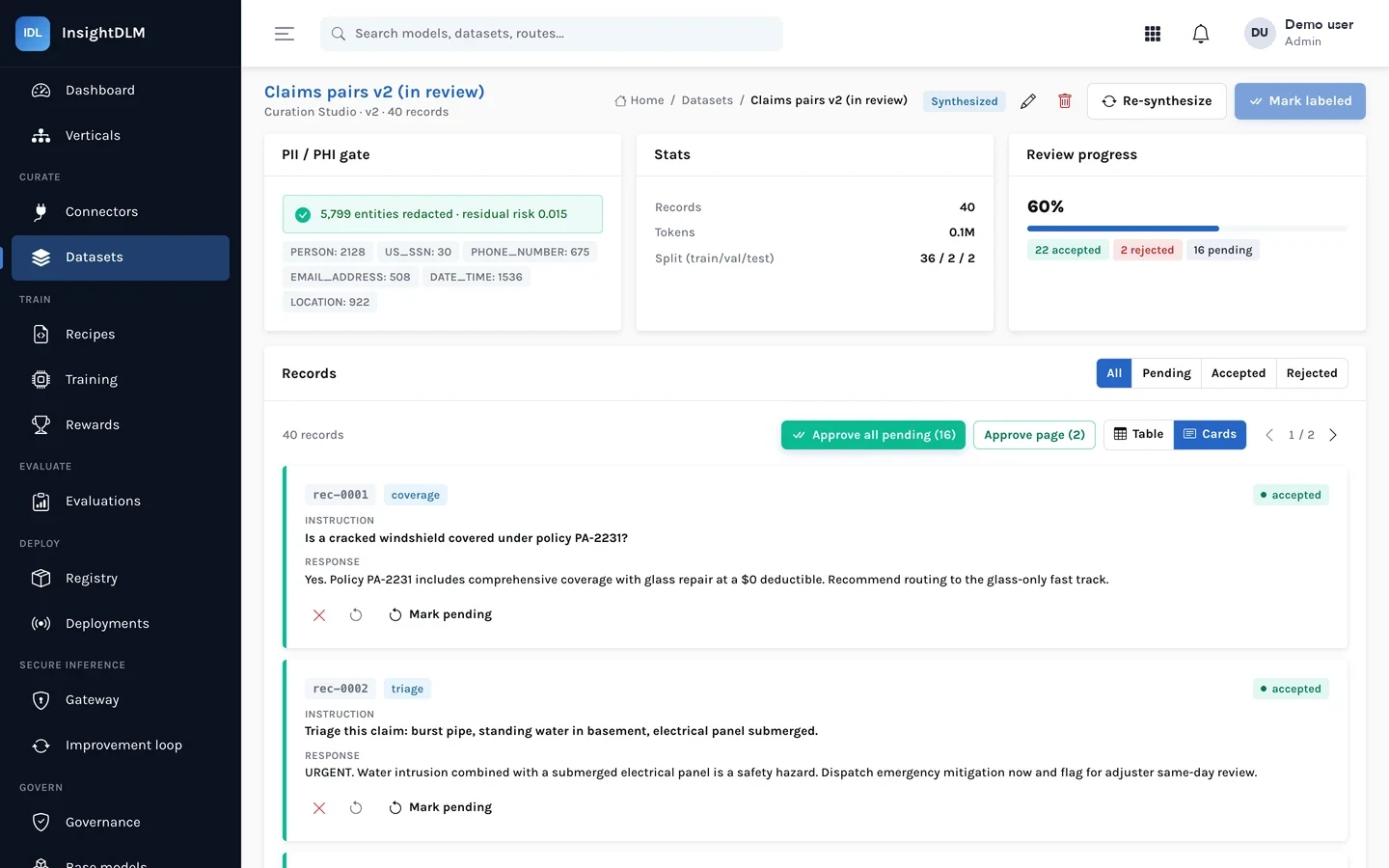
- Curate. Connectors bring in the documents, tickets and tables a model should learn from. Datasets are versioned, with a PII/PHI report and curation statistics.
- Synthesize and label. A teacher model drafts training pairs from that content; people accept, edit or reject each one before anything is trained on it.
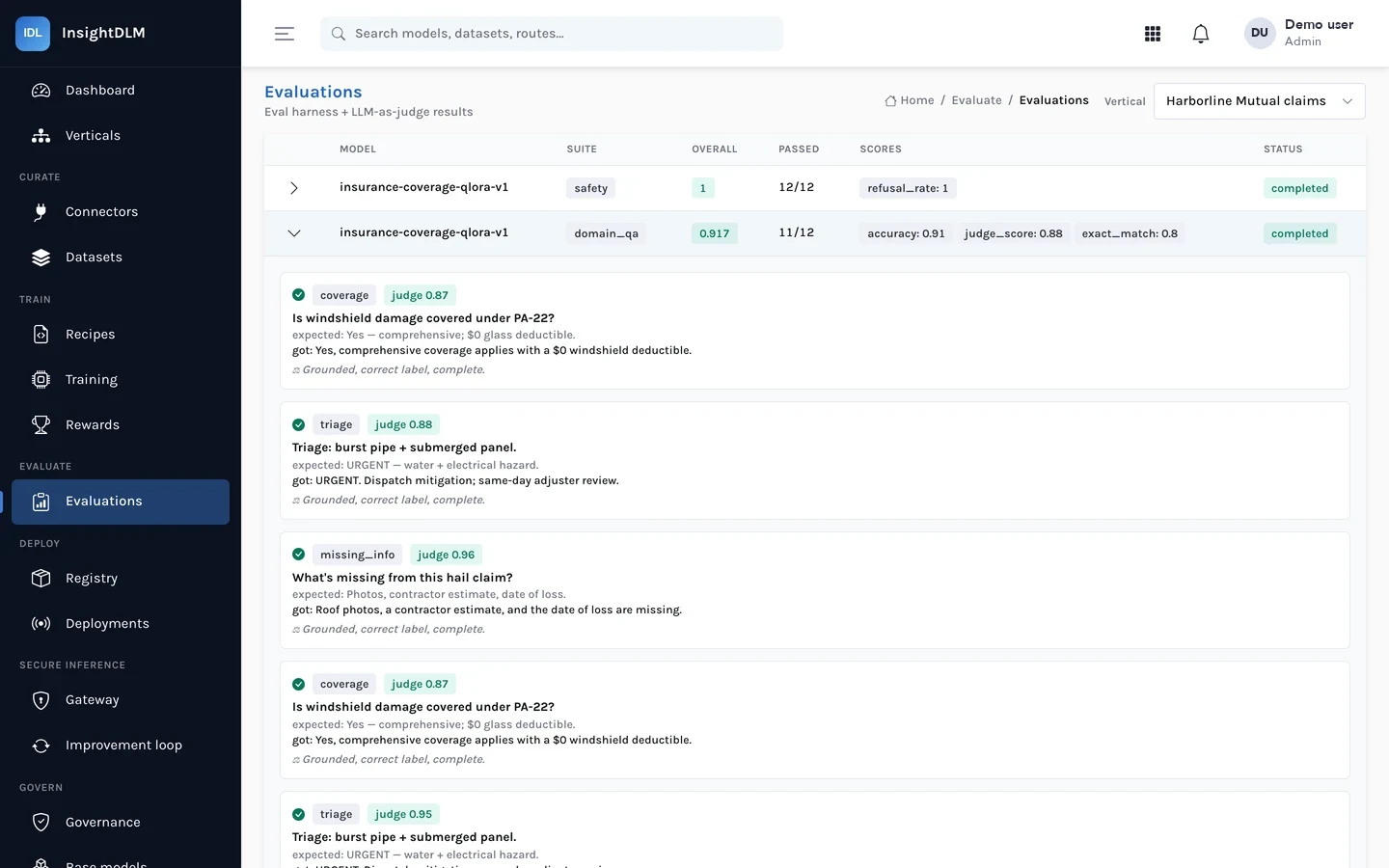
- Train and evaluate. A YAML recipe fixes the method (SFT, LoRA, QLoRA, DPO or ORPO), the base model and the hyperparameters. Each run records its loss curve and metrics; each evaluation records every test case and its score.
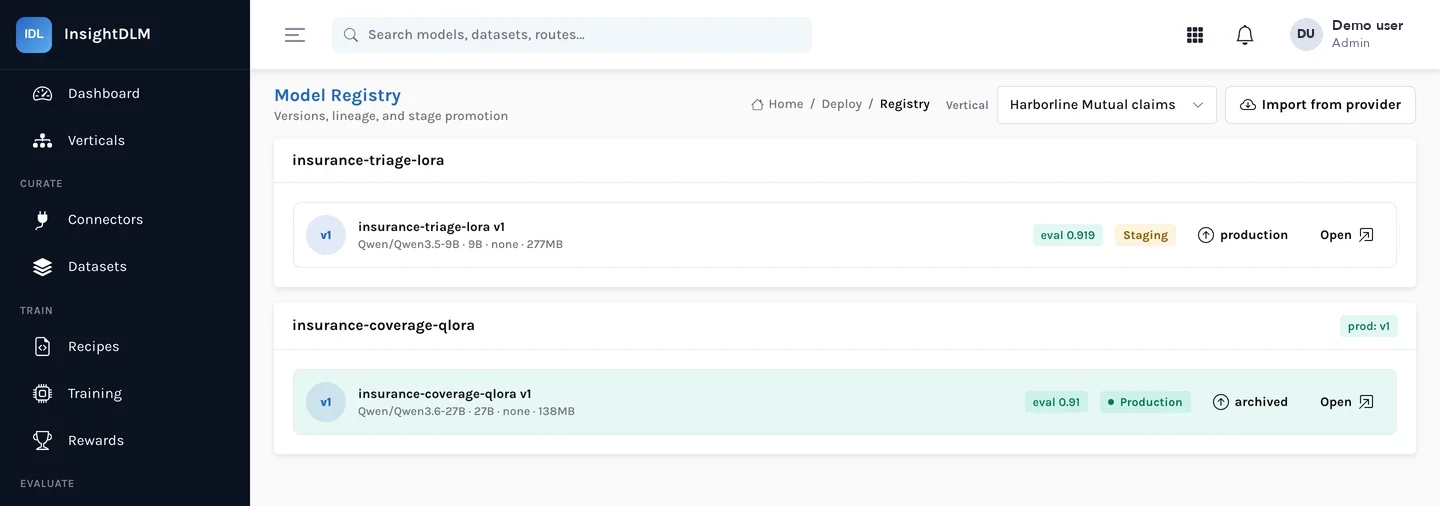
- Deploy and manage. The registry holds every model version with its model card and stage (candidate, staging, production, archived). Deployments sit at a tier of the model farm, with guardrails in front.
The console
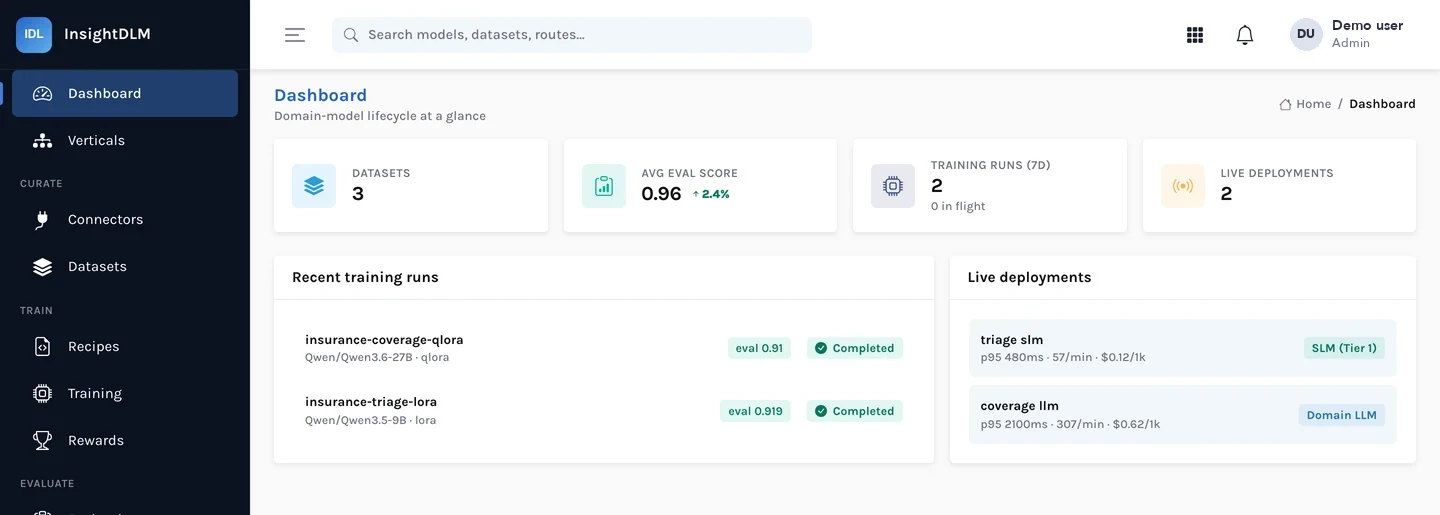
The dashboard shows the state of every domain model at a glance: datasets, the average evaluation score, training runs in the last seven days and live deployments, with the recent runs and each live endpoint's latency, throughput and cost.
Control plane and engine
InsightDLM is two parts by design. The control plane (the API and the console) keeps the record: projects, connectors, datasets and their review, recipes, runs, evaluations, the registry and deployments, plus the lineage between them. It never trains or serves a model itself. Long-running jobs (curation, training, evaluation, serving) go to the engine, the GPU worker that runs the open-source stack: Hugging Face Transformers, PEFT and TRL for training, vLLM, SGLang or llama.cpp for serving. Progress streams back to the console as it happens.
Why build a domain model at all?
- Data stays where it is. Training data, weights and inference can all stay inside your network.
- Bounded tasks suit small models. Classification, extraction and templated answers rarely need a frontier model; a 1.5B to 14B model tuned for the task is often enough, and cheaper to run at volume. Whether it is enough for your task is what the evaluation is for.
- You can show your work. Every deployed version traces back to its run, recipe, dataset and sources, with the test cases it passed.
When a domain model is the wrong answer
Fine-tuning is not free: someone has to choose the sources, review the training pairs and write the test cases. Before starting a project, check the task against four questions. If most answers are “no”, a general model with good prompting is probably the better first step.
- Is the task bounded? A fixed set of labels, fields or answer types. “Help our staff with anything” is not a fine-tuning task.
- Is there enough volume? A task run a few dozen times a day rarely repays the effort of a dataset and a serving tier; one run thousands of times often does.
- Can a right answer be checked? If nobody can say what a correct output looks like, nobody can write the evaluation, and the model cannot be promoted with confidence.
- Is there someone to review the data? Every generated record is reviewed before training. That needs a person who knows the domain, for a few days per dataset version.
A first project in the console
The order the console expects, from a blank project to an endpoint:
- Create a project: a name, a vertical and an objective that names the task.
- Add connectors and sync them; choose the items a dataset may use.
- Generate a dataset, review every record, then label and freeze it.
- Create a recipe from a method and a base model, and launch a run against the dataset.
- Evaluate the version the run registered, read the cases, and promote it if it earns it.
- Deploy it at a farm tier, with a vLLM, SGLang or llama.cpp server.
One project, one bounded job
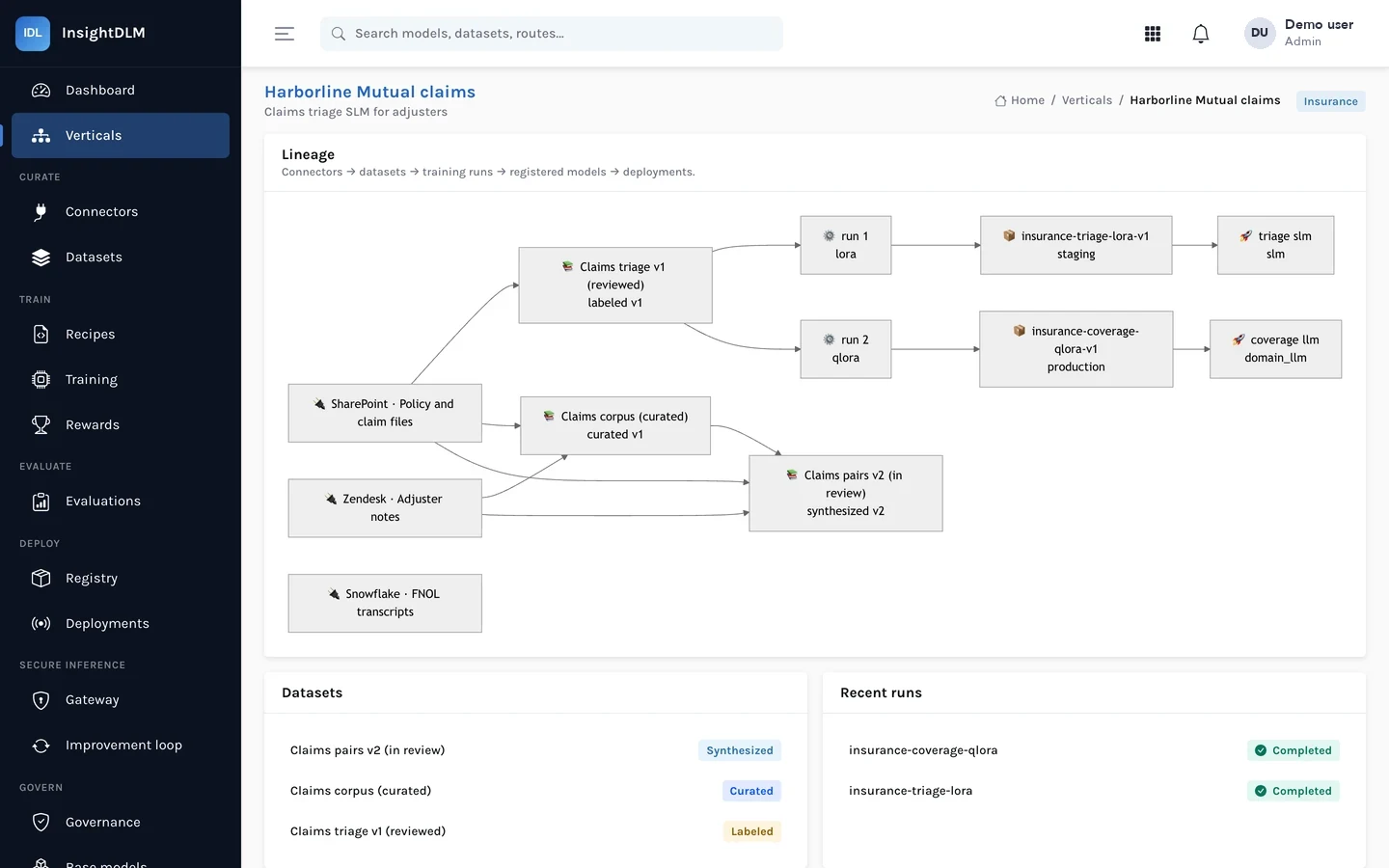
A fictional regional mutual, Harborline Mutual, wants a model for first-pass claims triage: is this claim urgent, what is missing, is it covered on its face. It creates one project in the insurance vertical, connects its policy library and adjuster notes, and sets an objective: a Tier-1 small model for triage, coverage questions and missing-information checks. Everything after that (the datasets, the review, the runs, the version in production) hangs off that project, and the lineage graph shows how it got there. The full walk-through is in the insurance use case.
Questions buyers ask
Do we need GPUs to evaluate the product?
Not to try the console. Without an engine, the built-in simulator fills in curation, training, evaluation and deployment, so a team can walk the whole flow on sample data. Real runs need the engine on GPUs you control.
Does any data leave our network?
Training, weights and serving are designed to stay inside it. Dataset generation is the exception to plan for: in the default configuration the teacher model is Claude, called through the Anthropic API or through Amazon Bedrock in your AWS account, and it sees the content you select for generation. Choose those sources with that in mind.
Which models can we fine-tune?
Any open-weight model your administrators approve on the base-model allow-list. The recipe screen suggests current ones (Qwen3.5 and 3.6, Gemma 4, Phi-4, Granite 4.2, Ministral 3, Llama 3.1 and others); see the open-model catalog for sizes, licences and the GPUs each needs. Each recipe records which one a run used.