A fine-tuned model is a summary of its training data, errors included. Most of the work in building a domain model, and most of what decides whether it can be trusted, happens before training starts: which sources it learns from, what pairs it is shown, and who checked them. This article follows that path in InsightDLM, from a connector to a published dataset.
1. Connectors and their inventory
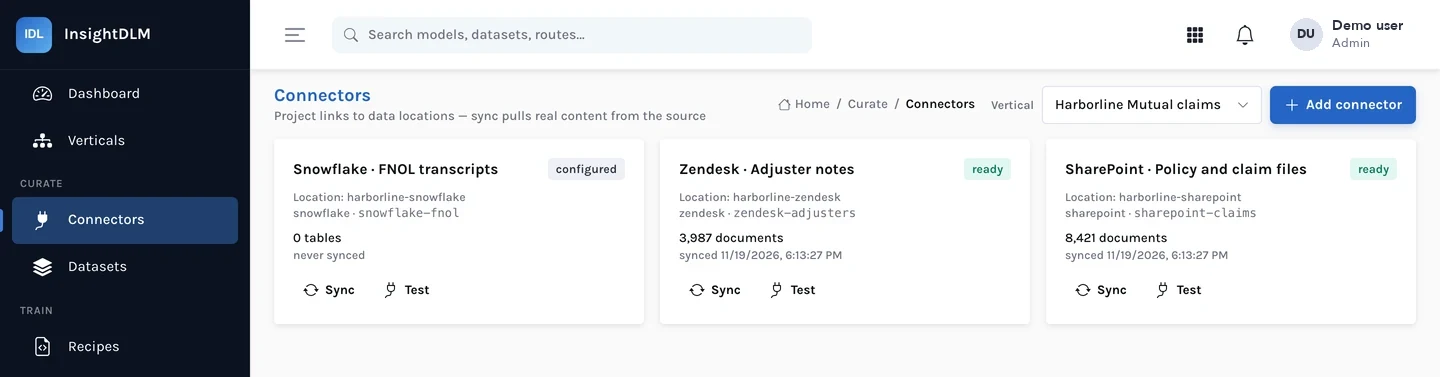
A connector binds a project to a data location: a configured source with its credentials. Syncing a connector pulls its inventory (the files, pages, issues or tables it can see) and stores it as a preview, so you can choose exactly which items a dataset may use. Sync pulls the inventory from S3, SharePoint and OneDrive, Jira, Confluence, MySQL and PostgreSQL (including Redshift), and the other source types are configured as data locations in the same way.
2. Generation: what the teacher model sees
To generate a dataset you choose a mode and its inputs:
- Synthetic Q&A: the teacher model writes instruction and response pairs grounded in the selected content.
- Extract documents: it pulls clean passages out of the content, for curation or continued training.
- A prompt that says what to build (required if no connector is selected), optional extra context appended to the source material, the connectors and items to draw on, and a target of 5 to 200 records per generation.
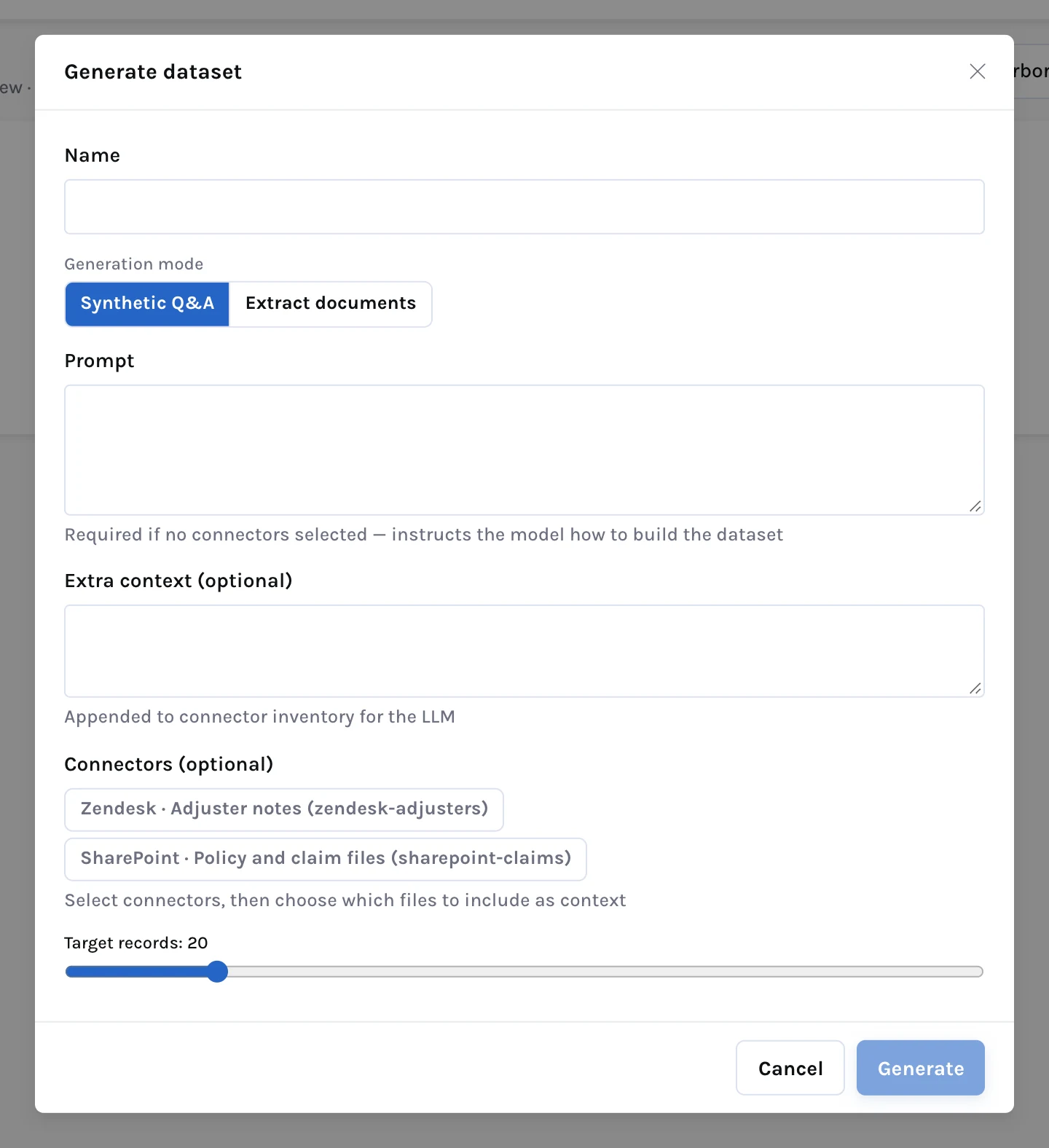
The context is bounded on purpose. Tables contribute their first and last rows (ten of each by default) rather than everything, each table's share is capped, and so is the total, so a single huge source cannot crowd out the rest. The teacher model is a large model (Claude, through the Anthropic API or Amazon Bedrock, in the default configuration) instructed to write records as rows and not to invent personal data. With no teacher model configured, InsightDLM falls back to records drawn directly from the context, which are only useful for testing the flow.
3. Review: nothing trains until a person has looked
Every generated record starts as pending. In the review screen each one can be accepted, edited or rejected, filtered by status, and shown as cards or a table. Two rules keep the review honest:
- A dataset cannot be marked labeled while any record is still pending.
- A dataset can only be frozen (fixed as the version a model is trained and tested on) once it is labeled.
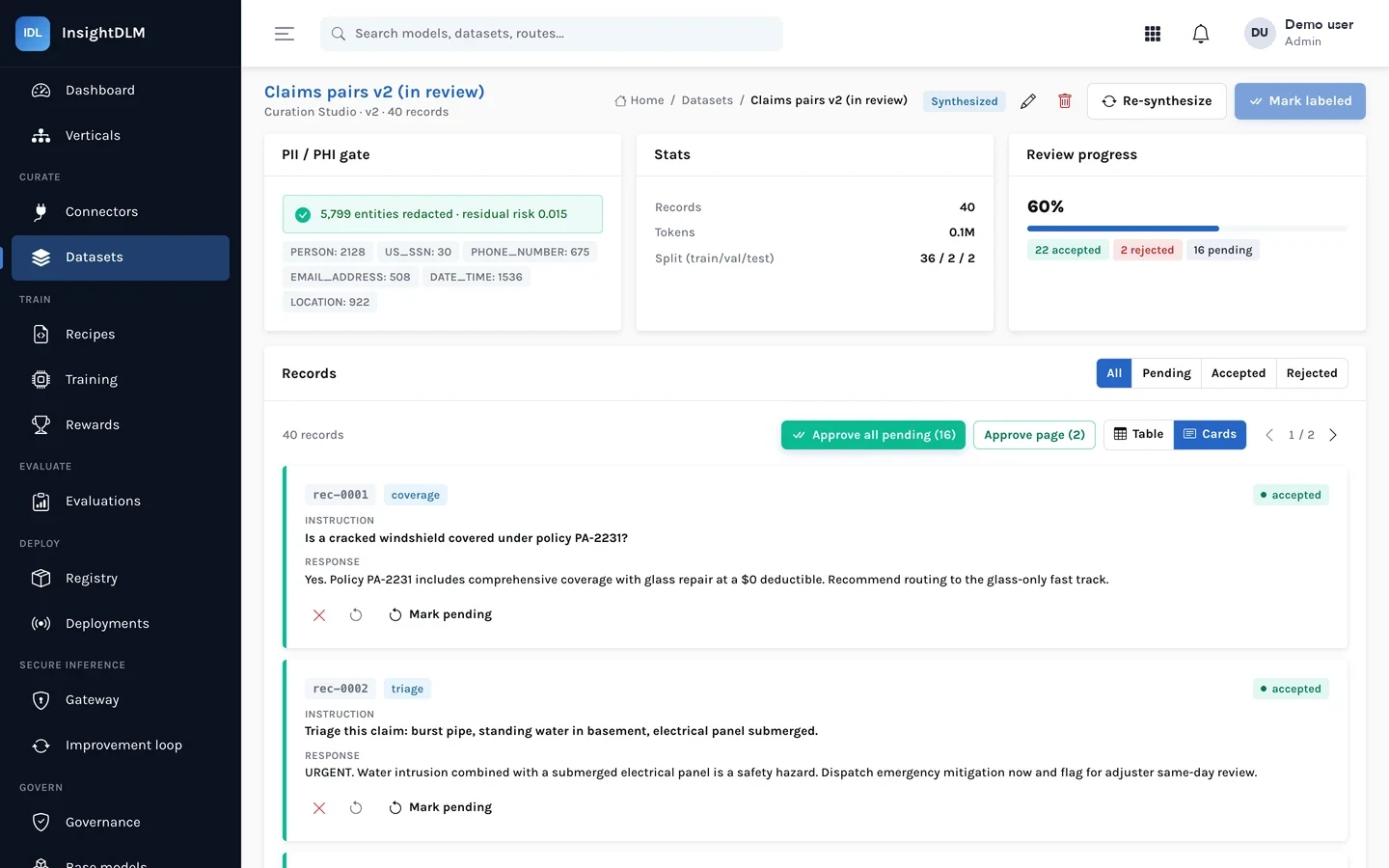
An approve all pending button exists for the batch that has already been checked another way; use it sparingly. The records a reviewer edits are kept as edited, which is useful later: they show where the teacher model was wrong and what to change in the prompt or context before the next batch. Re-synthesizing creates a new version of the dataset rather than overwriting this one.
Accept, edit or reject: a reviewer's rule of thumb
| Decision | Use it when | What it teaches the model |
|---|---|---|
| Accept | The instruction is realistic and the response is correct, grounded and in the house style. | The behaviour you want, as written. |
| Edit | The question is good but the answer is slightly wrong: a figure, a missing caveat, the wrong tone. | The corrected answer becomes the training target; these are often the most valuable records. |
| Reject | The question is unrealistic, the answer cannot be fixed in a minute, or the record repeats others. | Nothing; it is left out of the published file. |
Each decision is stored with the reviewer's name, so a later question about a record has an answer. Edited records keep the reviewer's version as the output. Two habits help: review in small batches the same day they are generated, and when the same fix appears three times, change the prompt or extra context and regenerate rather than editing the rest by hand.
4. Publish
Publishing writes the accepted and edited records as JSONL to your artifact store (an S3 bucket, or a local folder in development), and fixes the split: 90% train, 5% validation, 5% test. A dataset with no accepted records cannot be published.
Eighty pairs, three edits, one rejection pattern
Harborline Mutual's claims lead generates 80 synthetic Q&A pairs from the policy library and adjuster notes, selecting only the homeowners and auto policy folders. Reviewing them, she notices the teacher model keeps quoting a glass deductible that applies to one policy form only. She edits three and rejects the rest of that pattern, adds a line to the extra context (“glass deductibles vary by form; cite the form”) and generates again. The second batch is accepted almost whole. Only then is the dataset marked labeled and frozen.
The rules that protect a dataset
A dataset moves through stages (raw, curated, synthesized, labeled, frozen), and a few rules stop it being changed under a model that was trained on it:
- Training accepts only a labeled or frozen dataset. Freezing first is the habit that makes a run reproducible.
- A frozen dataset cannot be deleted, and nor can one that a training run used.
- A dataset with child versions cannot be deleted until its children are.
- A dataset is published once. To change the content, generate or re-synthesize a new version and review that.
Questions data owners ask
What does the teacher model see?
The prompt, the extra context and the bounded sample of the connector items you selected, nothing else. In the default configuration that is a cloud call (the Anthropic API or Amazon Bedrock in your AWS account), and generation does not redact the context first, so choose sources the teacher is allowed to see, or generate from material prepared for the purpose.
Can we skip generation and use our own labelled data?
Not from the console in the current release: datasets are created by generating from connectors, and there is no screen for uploading a ready-made JSONL. If your plan depends on bringing existing labelled data, raise it with us before you start.