A lot of teams that fine-tune open models don't own GPUs. They rent them, or hand the training job to a service: Thinking Machines Tinker, Together AI, Fireworks AI, Modal, Baseten, Anyscale, CoreWeave, Lambda, Nebius and others. That works well for capacity. What it doesn't settle is the rest of the job, which a regulated company still has to answer for: which data went into the model, who reviewed it, which version is allowed in production, and which requests are allowed to leave the network.
InsightDLM is built to run on your own Kubernetes and GPUs, but it doesn't require them for every step. If you already train or serve at a provider, InsightDLM sits around that provider. It prepares the training data, takes the trained weights back under your signature, evaluates and approves them, and puts a gateway in front of the provider's endpoint that decides, request by request, what the provider is allowed to see. This article walks through that with a made-up insurer, Harborline Mutual, and its claims triage model.
Who does what
| GPU provider | InsightDLM | |
|---|---|---|
| GPU capacity, scaling, drivers | Yes | Uses yours when you have them; doesn't require them |
| Running the fine-tuning job | Yes | Can run it on your cluster instead, with the same recipe |
| Sourcing, PII scrubbing and human review of training data | No | Yes: connectors, curation, review, publish |
| Which base models may be used | Offers a catalog | Your allow-list: licence, scan and pinned digest |
| Evaluation and promotion gates | Some offer evals | Required gates and an approver who isn't the requester |
| Signing, lineage and an AI-BOM for each version | No | Yes, including versions trained at a provider |
| Serving | Yes | Yes, on your GPUs; or routes to the provider's endpoint |
| Per-request policy, redaction and routing across tiers | No | Yes: the secure inference gateway |
| Tamper-evident audit of every call and decision | Provider logs | One hash chain across training and inference |
Nothing here makes the provider worse at what it does. The point is that capacity and control are different jobs, and a bank or an insurer's risk team asks about the second one.
The architecture
The numbered steps are the walkthrough below: ① export the reviewed dataset, ② train at the provider and copy the weights back, ③ import and sign, ④ deploy, on your GPUs, at the provider's endpoint, or both.
Walkthrough: Harborline's claims triage model
1. Build the training data on your side
Harborline's dataset, Claims triage v1, comes from claim files and adjuster notes through InsightDLM's connectors. Personal data is redacted, every generated pair is reviewed by a person, and the result is published as a training file in Harborline's own bucket. That is the only thing that goes to the provider, and Harborline decides whether it may. A dataset classified confidential shouldn't go to an outside service at all unless the contract and the data protection review allow it.
2. Train at the provider
Harborline runs a LoRA fine-tune of Qwen3.5-9B at Together AI. The same configuration is saved as a recipe in InsightDLM, so the experiment is written down where the rest of the model's history lives, even though the GPUs belonged to someone else. When the job finishes, the adapter weights are copied out of the provider into Harborline's bucket.
3. Import the version and sign it
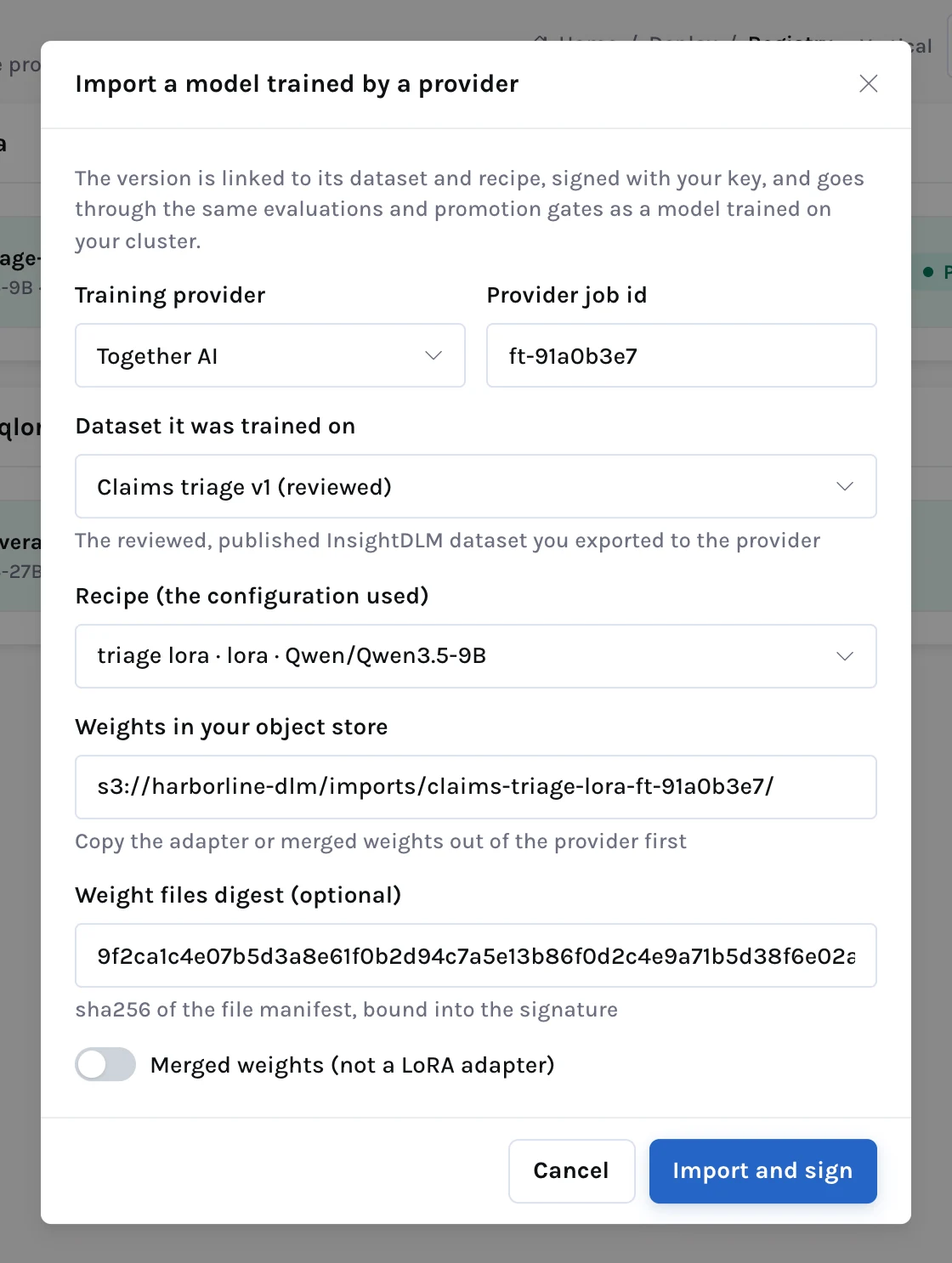
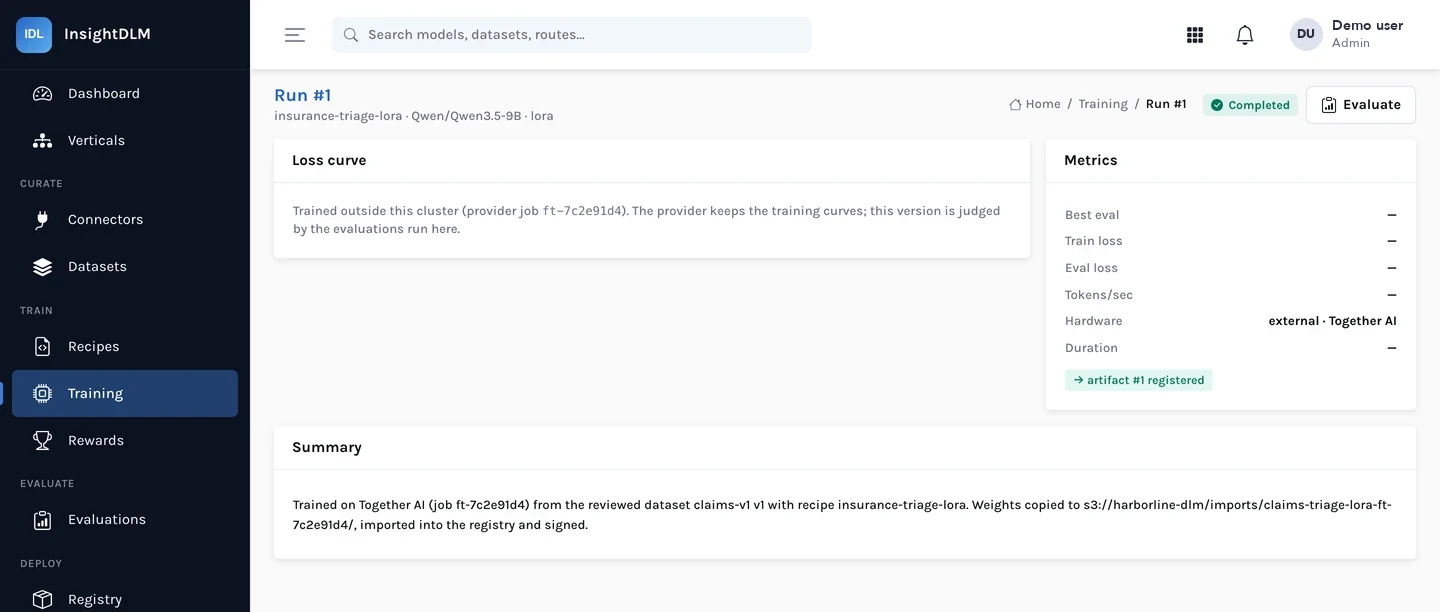
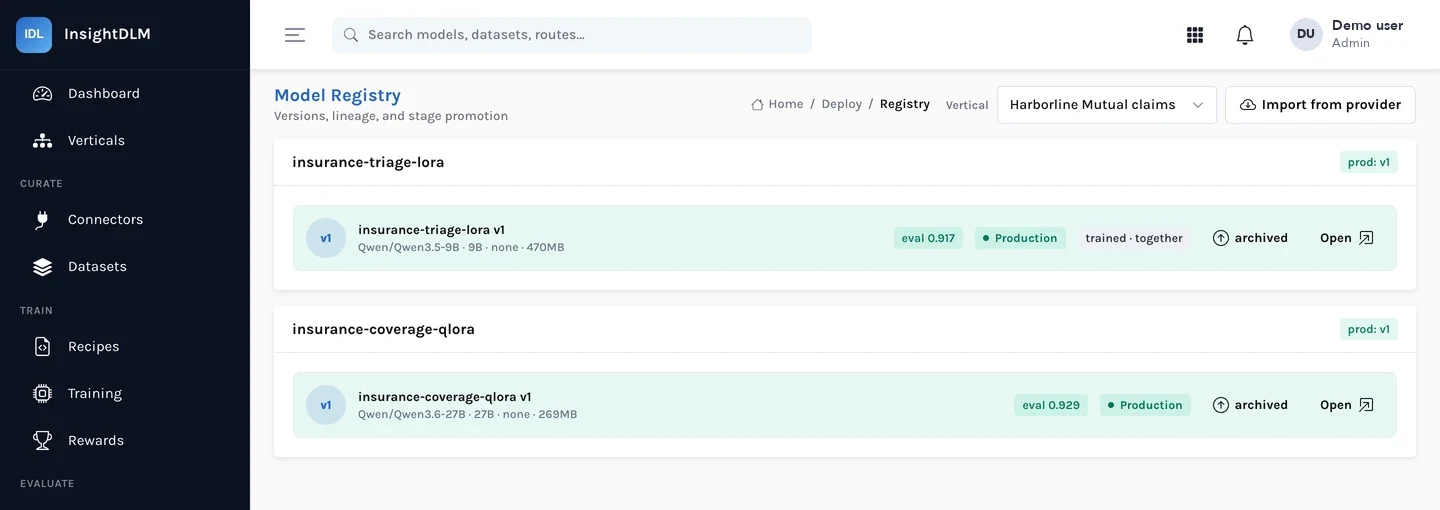
Import and sign does what a training run on your own cluster would have done. It records a training run marked as external, with the provider and its job id. It registers a model version linked to the dataset and recipe, so lineage works: if the dataset or base model is later withdrawn, this version is flagged with everything else built on it. It binds the weight files' digest into an HMAC or KMS signature, and it writes an audit event.
4. Evaluate and approve it like any other version
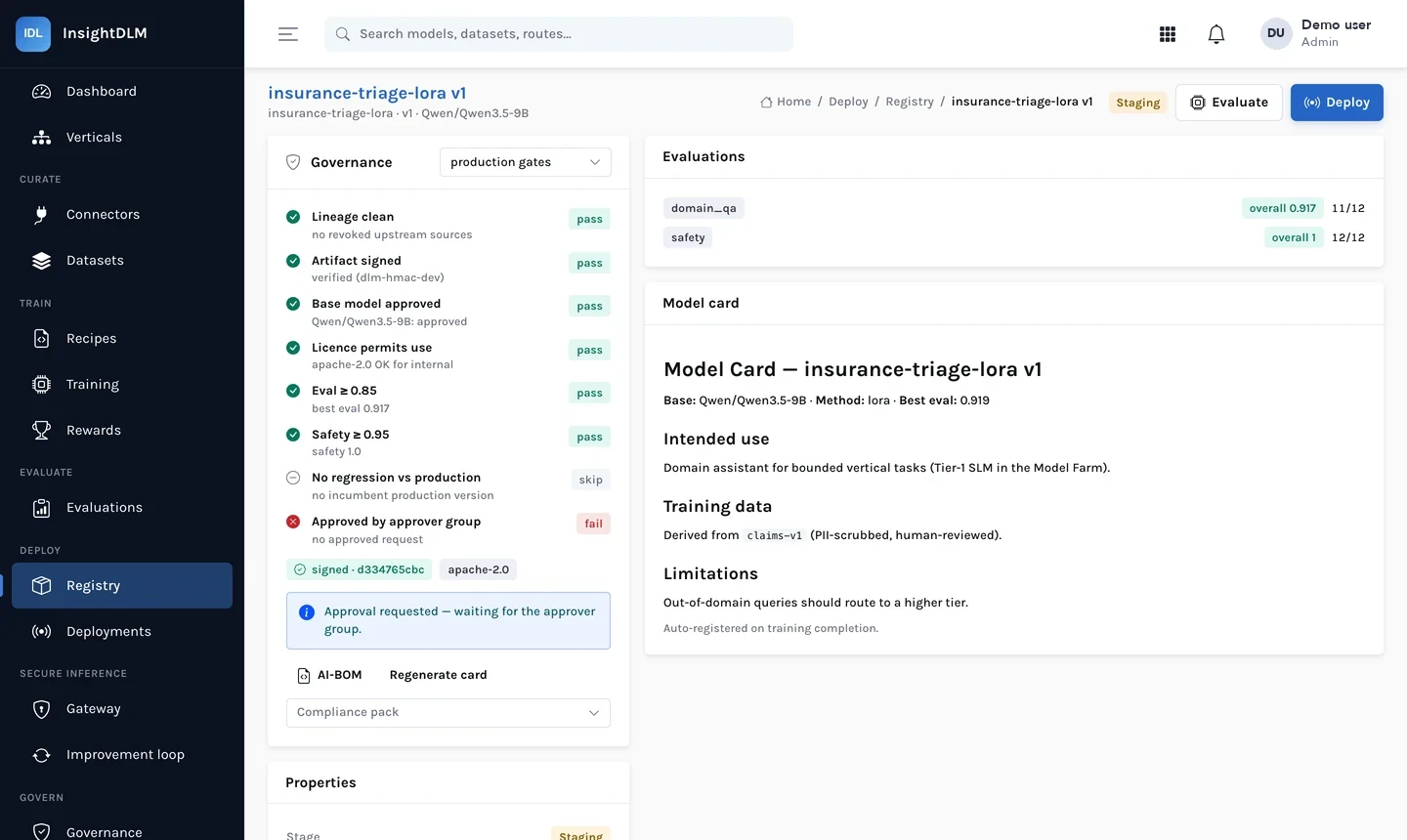
An imported version has no training curves in InsightDLM, so it's judged on evaluations instead. The evaluation suites run on Harborline's cluster against the imported weights, the same domain and safety suites used for models trained in-house. The version then faces the same production gates: clean lineage, a valid signature, an approved base model, a licence that permits the use, the evaluation and safety thresholds, and an approver who isn't the person who asked.
5. Decide where it runs
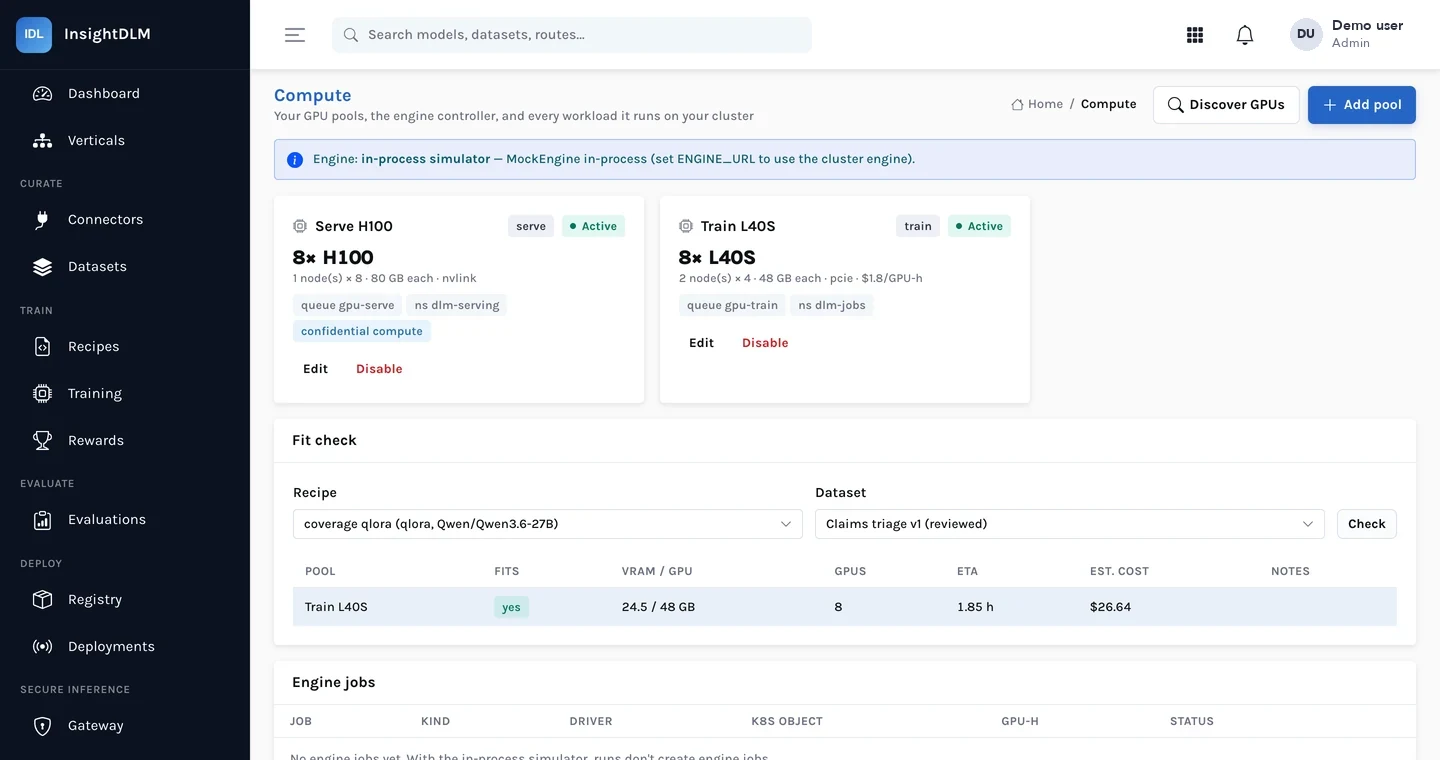
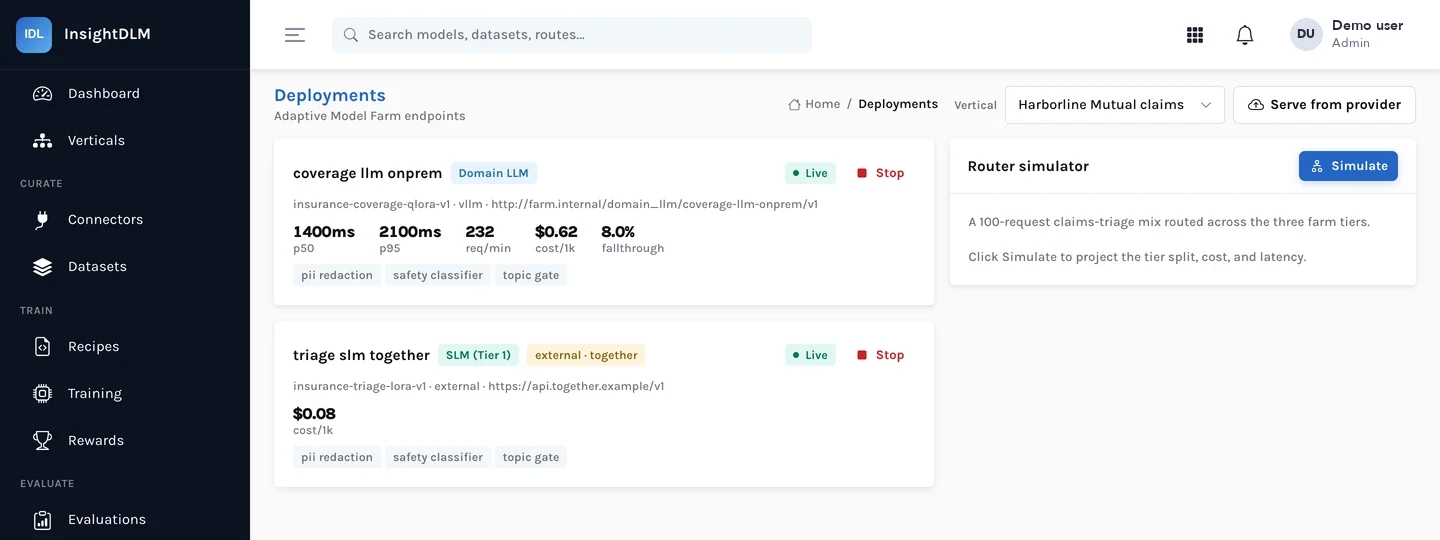
An approved version can be served on your own GPUs with vLLM, or stay at the provider. Harborline keeps the 9B triage adapter at Together AI, where it's cheap at volume, and serves a 27B coverage model on its own L40S pool for questions that need more reasoning and more context from claim files.
The provider's endpoint is registered as a deployment. Only https endpoints are accepted, and the API key is never stored by InsightDLM. The deployment holds the name of a secret, which the gateway reads from its environment or a mounted secret when it calls the provider. The deployment is marked external, and that marking is what the gateway acts on.
6. The gateway decides per request what the provider may see
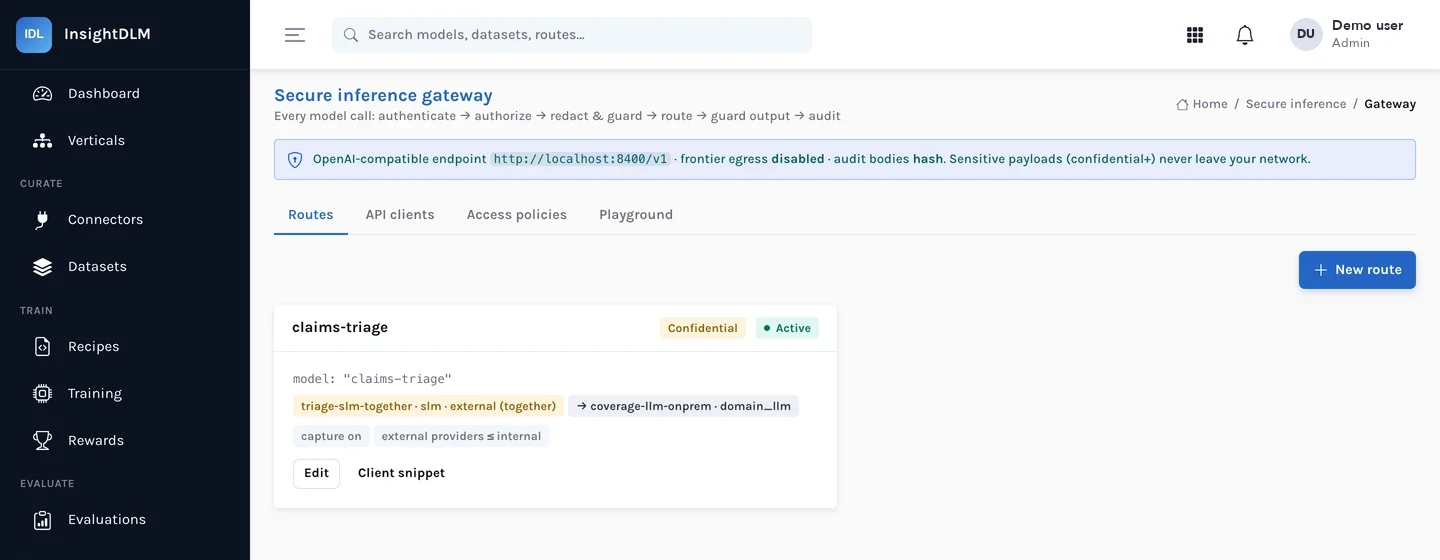
Each gateway route has a ceiling for external providers. Harborline's claims-triage route allows up to
confidential data overall, but only internal data to external tiers. The input guard classifies every request and
redacts personal data before anything is routed. Then the external tiers are dropped from the route for any request above the
ceiling.
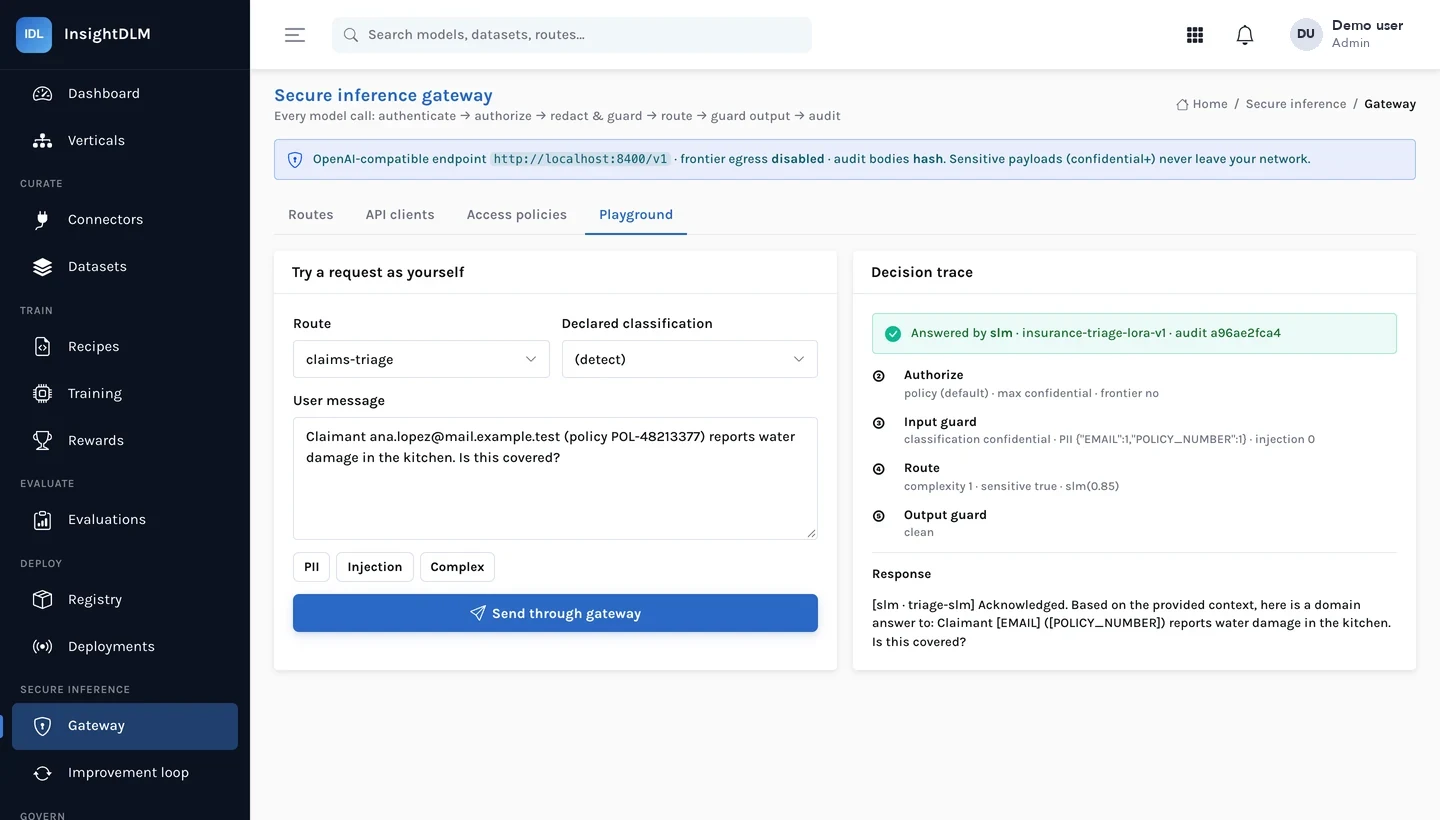
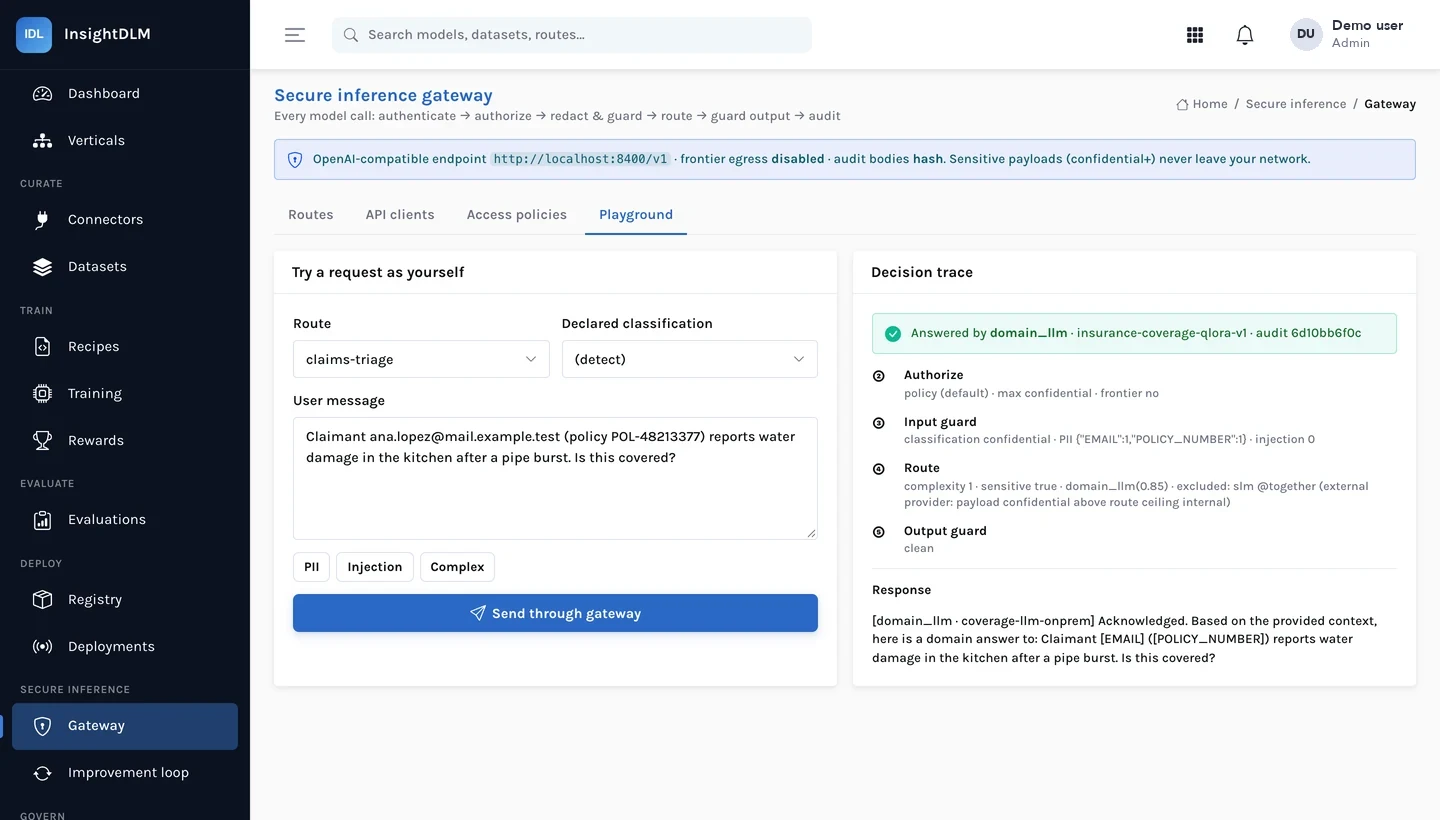
A claim that names a claimant and a policy number is classified confidential. The decision trace shows the Together AI tier excluded,
with the reason, and the answer comes from the 27B model on Harborline's network. The model only saw [EMAIL] and
[POLICY_NUMBER], never the values.
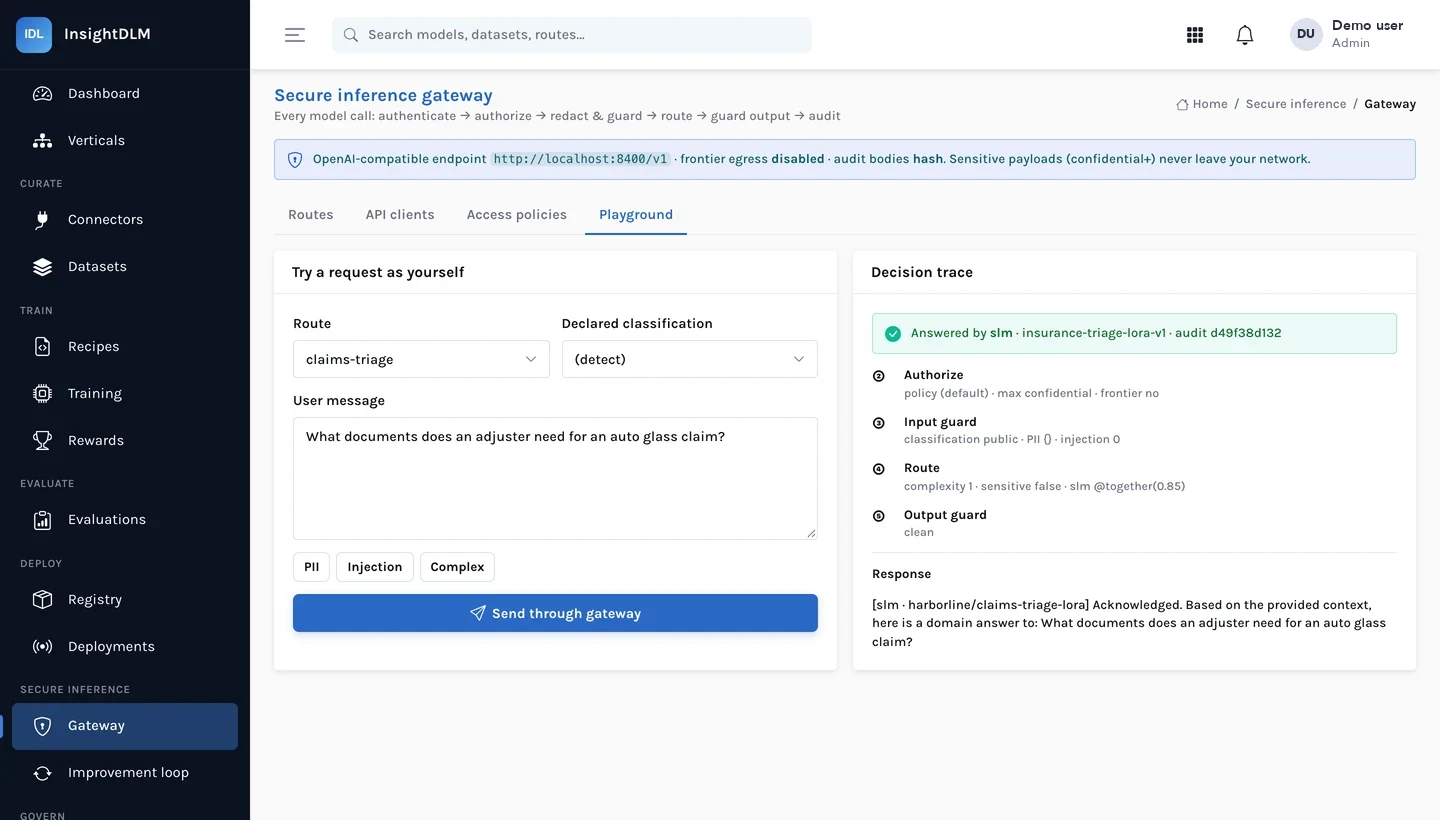
A routine question with nothing sensitive in it is classified public and goes to the cheaper tier at the provider. If that tier isn't confident, the request escalates to the on-network model, as on any route.
Both requests land in the same hash-chained audit trail, each with its caller, its classification, what was redacted, the tier and provider that answered, and any tier that was excluded and why. That is the record a regulator or an internal auditor asks for, and it is kept on Harborline's side, not the provider's.
What this looks like in practice
Cheap volume outside, sensitive work inside
The provider answers the large volume of routine triage and documentation questions at a low cost per call. Anything that names a claimant, a policy or a medical detail never leaves the network. Adjusters use one endpoint and one model name and don't need to know which tier answered.
Rent GPUs to train, serve at home
Teams without large training GPUs fine-tune a 27B model at a provider, import it, and serve it on smaller in-house cards after quantization. The provider never serves production traffic.
Start at a provider, bring it in when it pays
Because applications call a route and not a deployment, moving a tier from the provider to your own GPUs is a deployment change. No client code changes, and the audit trail shows exactly when it happened.
For GPU and fine-tuning providers
If you run GPU capacity or a fine-tuning service, regulated customers are often the ones who stall: their risk teams ask the governance questions above, and they aren't questions about GPUs. InsightDLM needs three things from a provider to fit around it:
- Weights the customer can copy out: the adapter or merged weights, so they can be signed and evaluated on the customer's side.
- A job id to tie the version to the run that produced it.
- An OpenAI-compatible endpoint for serving, with an API key the customer manages.
Most of the providers named above already offer all three. The customer keeps the control layer, and the provider keeps the workloads.
More on the pieces used here: the secure inference gateway, signed models and promotion gates and running InsightDLM on your own cluster.